
Group motorcycle rides: how does everyone know where everyone is?
Last updated:
Group rides usually split at red lights, junctions, and fuel stops. The reliable fix is to agree on the route and regroup points before you leave, then let every rider see the whole group on one map, so whoever falls behind knows where to meet. Laiki does this with a time-limited room: open one, post the link in the group chat, and everyone's location, the meeting points, and the planned route share one map. The room closes on its own when time is up.
Why group rides split up
- Red lights cut the group in half: the front gets through, the back waits, and the gap grows fast.
- Junctions and exits: riders at the back can't see which way the front turned.
- Unplanned stops: someone pulls over for fuel, a restroom, or a photo, and nobody else knows.
- Group chats don't work on the bike: answering "where are you?" means stopping, and each round trip costs minutes.
Before you leave: three things
- Pick a lead and a sweep. The lead sets the route and pace; the sweep rides last. Both should be able to check the map.
- Put the route and stops on the map. Draw a planned route in the Laiki room and mark fuel stops, rest areas, and regroup points as landmarks. The free plan allows 10 landmarks per room and 30 points per planned route.
- Open the room and check everyone is on the map. Post the room link or join code in the group chat. Before rolling out, confirm every rider appears and their position is updating.
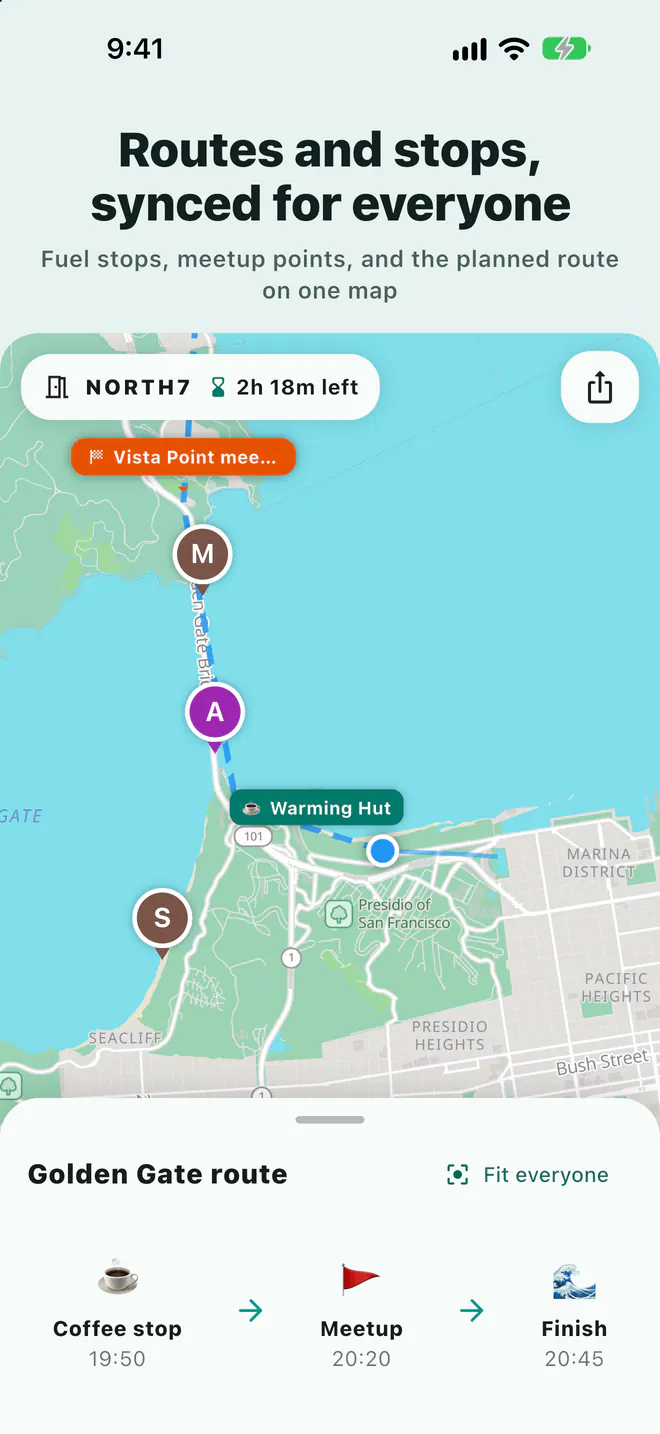
On the road: check the map instead of stopping to ask
Once in the room, each rider's position, heading, and phone battery appear on one map. Sharing continues with the phone in a mount or a pocket, as long as Laiki has location permission.
- Waiting for someone behind: turn on "Alert me when nearby" for that rider and your phone notifies you as they approach.
- Changing the regroup point: add or move a meeting point and the whole room sees it immediately.
- Hold to talk: one voice message reaches the whole room, handy for announcing the next stop while parked.
Do not operate your phone while riding. Let a passenger handle the map and voice, or stop somewhere safe first.
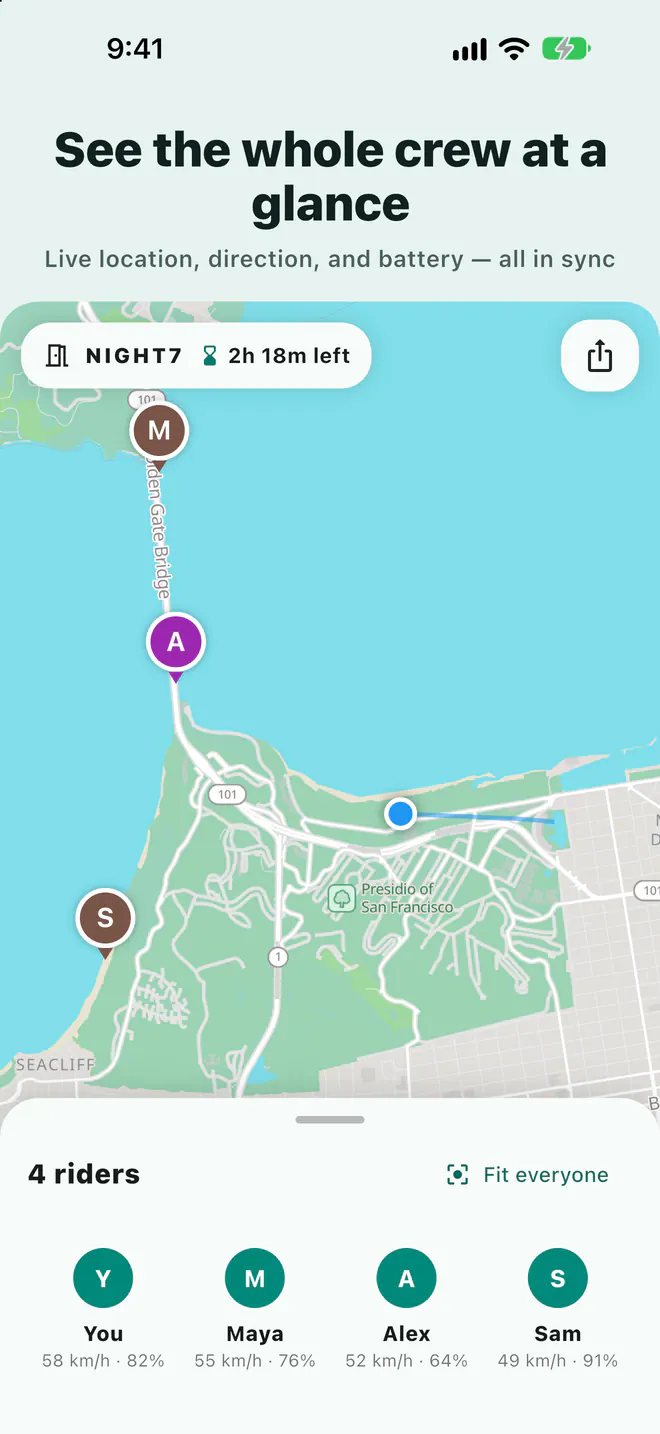
Choosing group size and room length
The plan of whoever opens the room sets the group size and how long the room can stay open. A small weekend ride fits the free plan; for bigger groups or multi-day trips, see below.
| Plan | People per room | Longest room | Landmarks per room |
|---|---|---|---|
| Free | 8 people | 3 days | 10 |
| Plus | 10 people | 5 days | 25 |
| Pro | 20 people | 7 days | 50 |
| Max | 50 people | 14 days | 100 |
See the App Store or Google Play purchase screen for current prices.
Share your location for this ride only
Every Laiki room has an end date and closes automatically, so a ride never turns into ongoing tracking. You choose location precision when opening the room, and Ghost mode removes you from the map whenever you want. Live locations are never stored in your account and are cleared when the room ends.
FAQ
Can someone follow along without the app?
Yes, anyone can view the room map in a web browser. Sharing your own location or using voice requires the app.
Can iPhone and Android riders join the same room?
Yes. Laiki is available for iPhone and Android, and everyone joins with the same room link.
What if the group is bigger than 8 riders?
Group size follows the room owner's plan: Plus 10, Pro 20, Max 50. Only the person opening the room needs to upgrade.
Does continuous location sharing drain the battery?
Continuous location uses more battery than usual, so plug into bike power on long rides. Everyone's battery level is on the map, so a rider about to run out can say so before disappearing.
Related guides
Next trip, just open a room
The free plan already includes rooms, live location, meeting points, and planned routes.
Get Laiki