
Group bike rides: how do you keep from dropping anyone?
Last updated:
Group rides split on climbs, at lights, and when someone flats. Assign a ride leader and a sweep, agree on regroup points such as hilltops, and let everyone see the whole group on one map. A Laiki room does that: post the link in the club chat, check who is still climbing, and use hold to talk at stops.
Why riders get dropped
- Climbs stretch the group: different fitness and gearing turn one long climb into a gap of several minutes.
- Lights and intersections: the front makes the light, the back doesn't, and at the next turn nobody knows which way to go.
- Flats and dropped chains: someone stops on the shoulder, and the front doesn't notice until miles later.
- You can't check your phone on the bike: answering "where are you?" means stopping, so everyone just waits at the top and guesses.
Before the ride: roles and regroup points
- Assign a ride leader and a sweep. The leader sets pace and route; the sweep rides last so nobody falls behind them. When someone stops for a mechanical, the sweep stays with them.
- Agree on regroup points. Draw a planned route in the Laiki room and mark the top of each climb, the coffee stop, and the water refill as landmarks. The free plan allows 10 landmarks per room and 30 points per planned route.
- Open the room and check everyone is on the map. Post the room link or join code in the club chat. Before rolling out, confirm every rider appears and is updating.
Regrouping at the top: see how long to wait
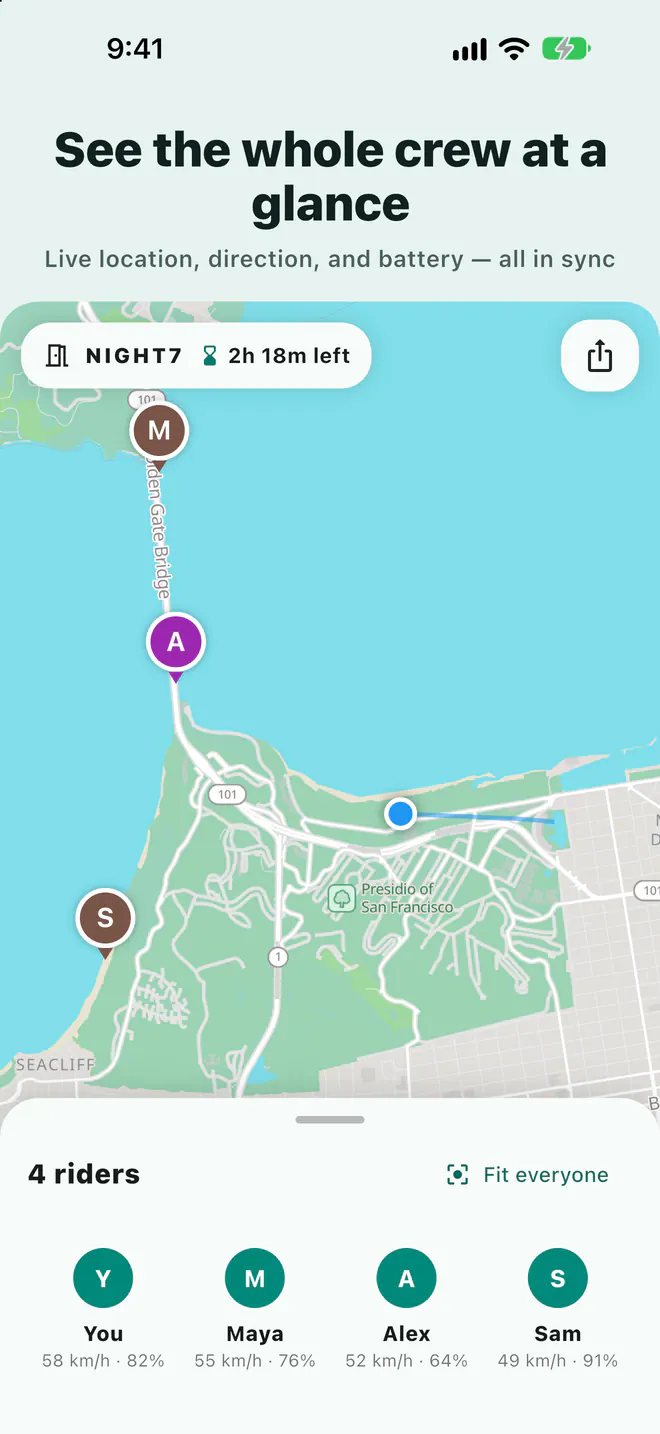
In the room, each rider's position, heading, speed, and phone battery appear on one map. Sharing continues with the phone in a top-tube bag or jersey pocket, as long as Laiki has location permission.
- Waiting at the top: once you've stopped, open the map and see where the last rider is on the climb.
- Alert me when nearby: turn it on for the sweep, and your phone notifies you as they approach, so the group can refuel in the meantime.
- Moving the regroup point: add or move a meeting point and the whole room sees it immediately.
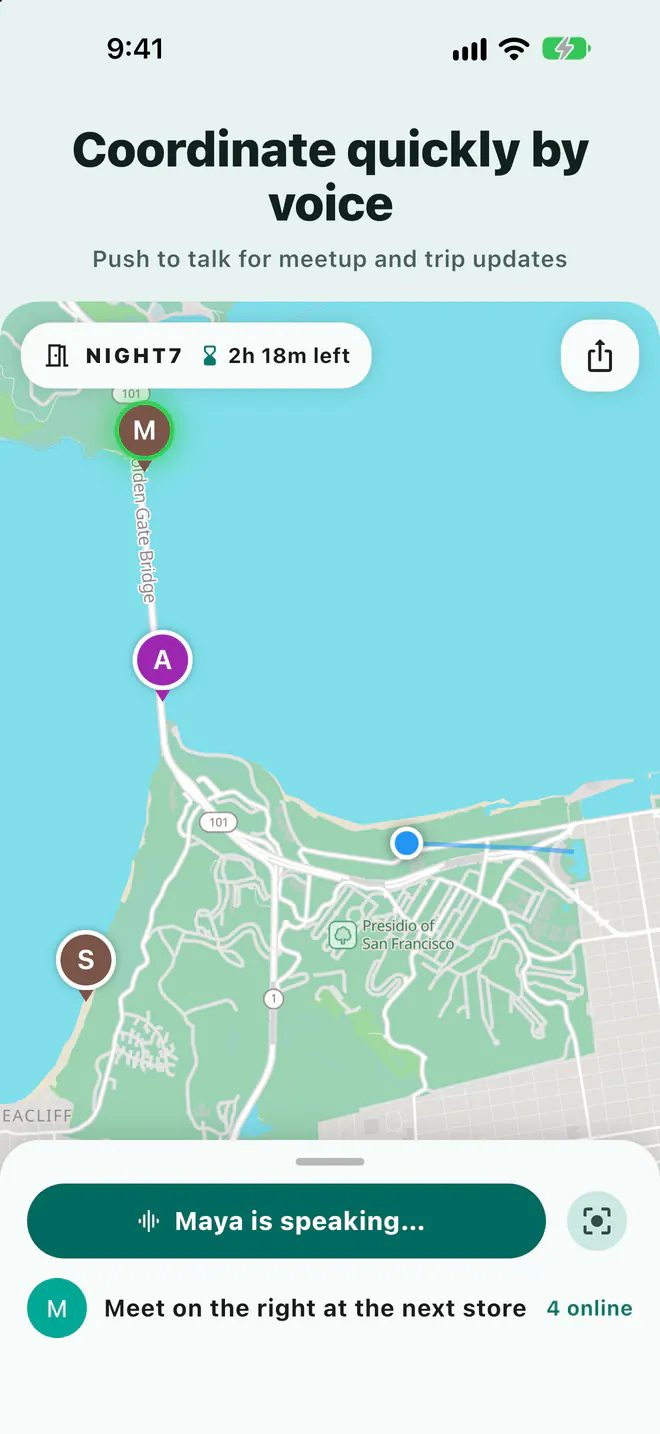
Stopped for a flat: hold to talk
When you pull over to fix a flat, hold to talk sends one voice message to the whole room: "Flat under the bridge, sweep is with me, wait at the top." No calling riders one by one. Voice runs over a data connection, not radio, so it can cut out where coverage is weak.
Never use your phone while riding. Check the map or use voice only after you've stopped and moved out of the road.
In-room SOS and the support car
- In-room SOS: after a crash or if you feel unwell, tap SOS and everyone in the room gets an alert with your location; you clear it with "I'm safe now." It only alerts the room and does not contact 911 or any emergency service. If you need help, call 911.
- Support car and family follow in a browser: the support driver's passenger or family at home can open the room link and view the map in a web browser without installing anything.
Group size, room length, and privacy
The plan of whoever opens the room sets the group size and how long the room stays open. A small weekend ride fits the free plan; for a big club ride or a multi-day tour, see below.
| Plan | People per room | Longest room | Landmarks per room |
|---|---|---|---|
| Free | 8 people | 3 days | 10 |
| Plus | 10 people | 5 days | 25 |
| Pro | 20 people | 7 days | 50 |
| Max | 50 people | 14 days | 100 |
See the App Store or Google Play purchase screen for current prices. Every room closes on its own, and live locations are never stored in your account; they are cleared when the room ends.
FAQ
Does the SOS button call 911?
No. Laiki's SOS alerts only the people in the same room and shows your location. It does not contact emergency services. Call 911 if you need help.
Can the support car follow without the app?
Yes, anyone with the room link can view the map in a web browser. Sharing your own location or using voice requires the app.
Does it work with no cell service?
Location sharing and voice need a data connection. Without service, the map shows each rider's last known position and updates once signal returns.
What if the ride has more than 8 people?
Group size follows the room owner's plan: Plus 10, Pro 20, Max 50. Only the person opening the room needs to upgrade.
Related guides
- Group motorcycle rides: how does everyone know where everyone is?
- How do you share your location from an iPhone with an Android user?
- Multi-car road trip: how do you keep the cars together?
- Group hiking: how do you keep everyone together on the trail?
- Group rides and meetups: how do you collect RSVPs and check people in?
- How do you share your location temporarily without being tracked forever?
- Offline maps for group trips: what works without signal?
- Walkie-talkie options for group rides, compared
- Life360 alternative: temporary group sharing vs ongoing family location
Next trip, just open a room
The free plan already includes rooms, live location, meeting points, and planned routes.
Get Laiki