
Group hiking: how do you keep everyone together on the trail?
Last updated:
Hiking groups split at junctions, after breaks, and when paces differ. Agree on a lead, a sweep, and regroup points, and while you have signal, let everyone see the group on one map. Live location needs cell data, so in dead zones companions freeze at their last known spot; plan regroup times and carry proper gear.
Why hiking groups get separated
- Different paces: on climbs, fast hikers pull ahead until nobody can see the last person.
- Junctions and faint trails: the front takes the right fork, someone behind follows a side trail.
- Unannounced stops: a photo, a restroom break, or a boot to retie, and the group doesn't notice someone is missing.
- Fog or fading light: visibility drops and people lose sight of each other.
- Patchy coverage: many trails only get signal on ridges or at certain spots, so a "where are you?" text may never go out.
Before the hike: roles, route, regroup points
- Pick a lead and a sweep. The lead navigates and sets the pace; the sweep walks last so nobody falls behind unnoticed. The National Park Service suggests putting the slowest hiker near the front and always staying together.
- Put the route and junctions on the map. Draw a planned route in the Laiki room and mark the trailhead, key junctions, water sources, campsites, and regroup points as landmarks. The free plan allows 10 landmarks per room and 30 points per planned route.
- Download the offline basemap. Pro lets you download 1 offline region and Max 5, each up to about 150 × 150 km. Download over a stable connection before you leave; offline, only the basemap is kept.
- Leave a trip plan. The NPS recommends leaving your route, start and return times, and who is coming with a trusted person who is not on the trip.
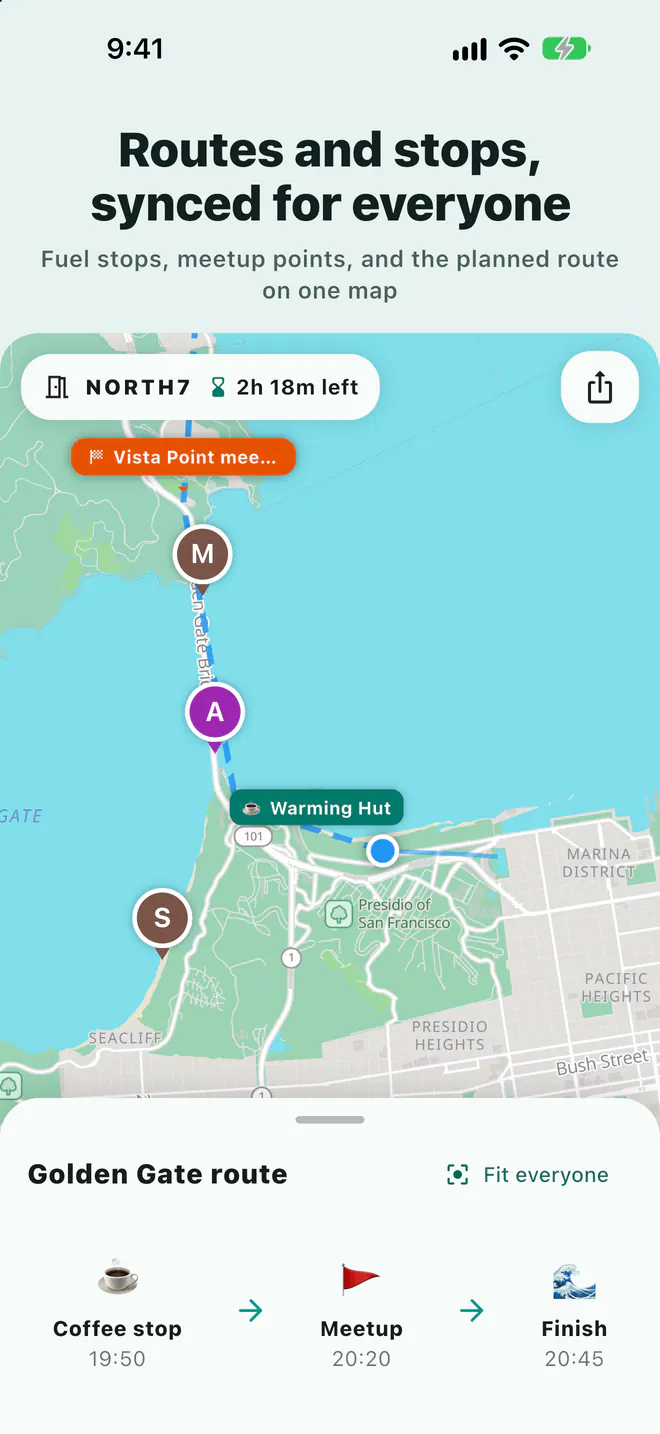
On the trail: stop at junctions, wait for the sweep
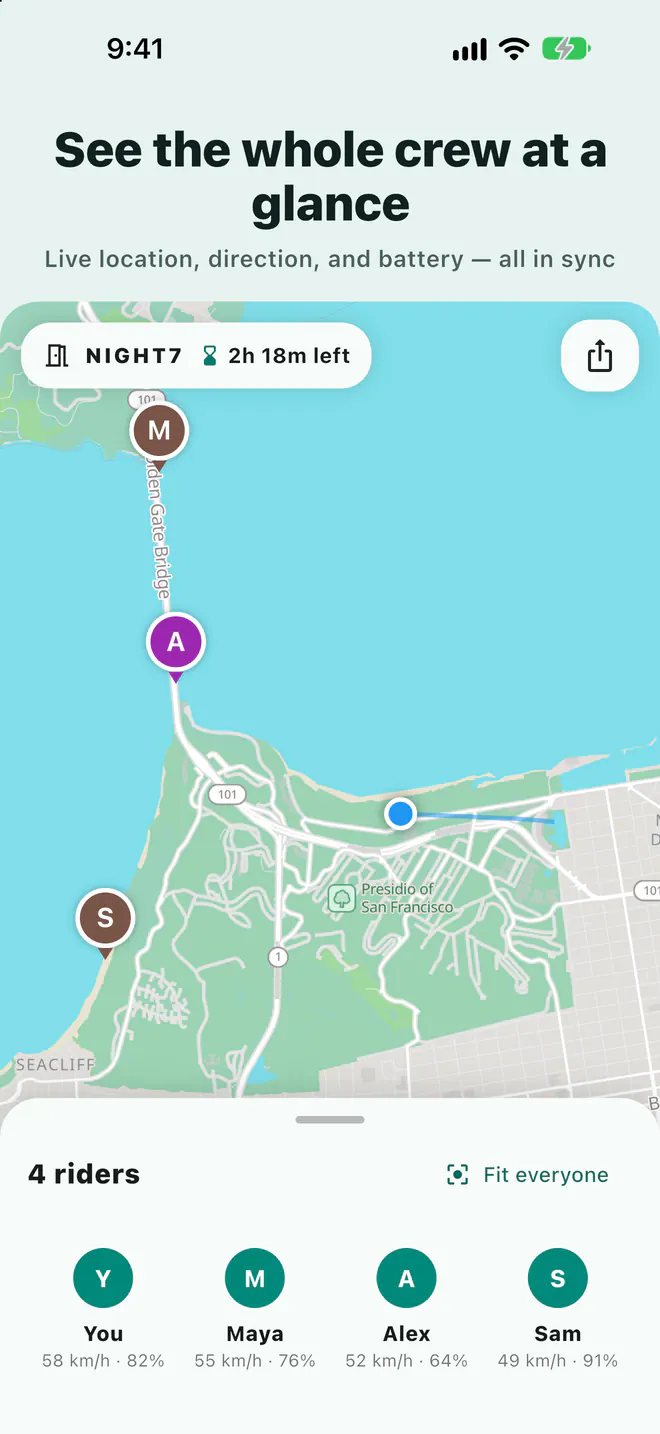
While you have signal, each hiker's position, heading, and phone battery appear on one map. Once Laiki has location permission, sharing continues in the background with the phone in a pack or pocket.
- Stop at every junction: the lead waits until the sweep is in sight. It's the simplest rule that prevents wrong turns.
- Waiting for someone behind: turn on "Alert me when nearby" for the sweep or a slower hiker and your phone notifies you as they approach. The free plan allows 1 alert at a time; Plus 10, Pro 20, Max 50.
- Moving the regroup point: add or move a meeting point and the whole room sees it immediately (this needs a connection).
- Hold to talk: one voice message reaches the whole room. It's internet voice, not a radio, so it won't go through without signal.
No signal: what happens in Laiki and what the group should do
Laiki needs mobile data to update locations. In a dead zone, the companions you see stay frozen at their last known positions, and location sharing, voice, and meeting point updates resume only when signal returns. A downloaded offline basemap still works, but it won't show live companions. Before you enter a no-signal stretch, agree on:
- A regroup point and time: for example, "first one to the next junction waits," plus how long to wait and who goes back if someone doesn't show.
- Staying together: without signal, walking together beats any app.
- A paper map and compass, and at least one person who knows how to use them.
- A check once you're back in coverage: open the map and confirm everyone's position is updating again.
To reach the outside world without cell coverage you need tools built for it. The NPS advises not relying on your cell phone and considering a personal locator beacon. On iPhone 14 or later, Emergency SOS via satellite can text emergency services where there's no cellular or Wi-Fi coverage, in the countries Apple lists, including the U.S. Messages via satellite (iOS 18 or later; U.S., Canada, Mexico, and Japan) lets you text friends and family, but Apple says it shouldn't be used in emergencies.
Laiki's SOS button only alerts people in the same room. It does not contact 911 or any rescue service and is not a substitute for a satellite device. In an emergency, call or text 911.
Battery management
- Carry a power bank: continuous location uses more battery than usual, so bring one on any long day or overnight trip.
- Watch battery levels on the map: everyone's battery shows on the map and turns red when low, so someone about to run out can say so before disappearing.
- Long dead zones: the NPS notes that searching for a signal drains the battery quickly and suggests airplane mode. That saves power, but you stop sharing your location, so tell the group first and agree when and where you'll turn it back on.
Group size and room length for multi-day trips
The plan of whoever opens the room sets group size and how long the room can stay open. A day hike fits the free plan; for big groups or multi-day backpacking trips, see below. Rooms can be extended up to the plan's limit, close automatically, and live locations are never stored in your account.
| Plan | People per room | Longest room | Landmarks per room |
|---|---|---|---|
| Free | 8 people | 3 days | 10 |
| Plus | 10 people | 5 days | 25 |
| Pro | 20 people | 7 days | 50 |
| Max | 50 people | 14 days | 100 |
See the App Store or Google Play purchase screen for current prices.
FAQ
Can I see my group when there's no signal?
Not live. Without a connection, companions stay at their last known positions and update once their phones get signal again.
Can Laiki replace a radio or a satellite messenger?
No. Laiki sends locations and voice over the internet, so it doesn't work where there's no mobile data.
Does Laiki's SOS contact rescue services?
No. SOS only alerts people in your room with your location. In an emergency, call or text 911.
Does the free plan include offline maps?
No. Offline maps come with Pro (1 region) and Max (5 regions), and they cover only the basemap. Companion locations don't update offline.
Sources
Related guides
- Group motorcycle rides: how does everyone know where everyone is?
- How do you share your location from an iPhone with an Android user?
- Multi-car road trip: how do you keep the cars together?
- Group bike rides: how do you keep from dropping anyone?
- Group rides and meetups: how do you collect RSVPs and check people in?
- How do you share your location temporarily without being tracked forever?
- Offline maps for group trips: what works without signal?
- Walkie-talkie options for group rides, compared
- Life360 alternative: temporary group sharing vs ongoing family location
Next trip, just open a room
The free plan already includes rooms, live location, meeting points, and planned routes.
Get Laiki