
Group rides and meetups: how do you collect RSVPs and check people in?
Last updated:
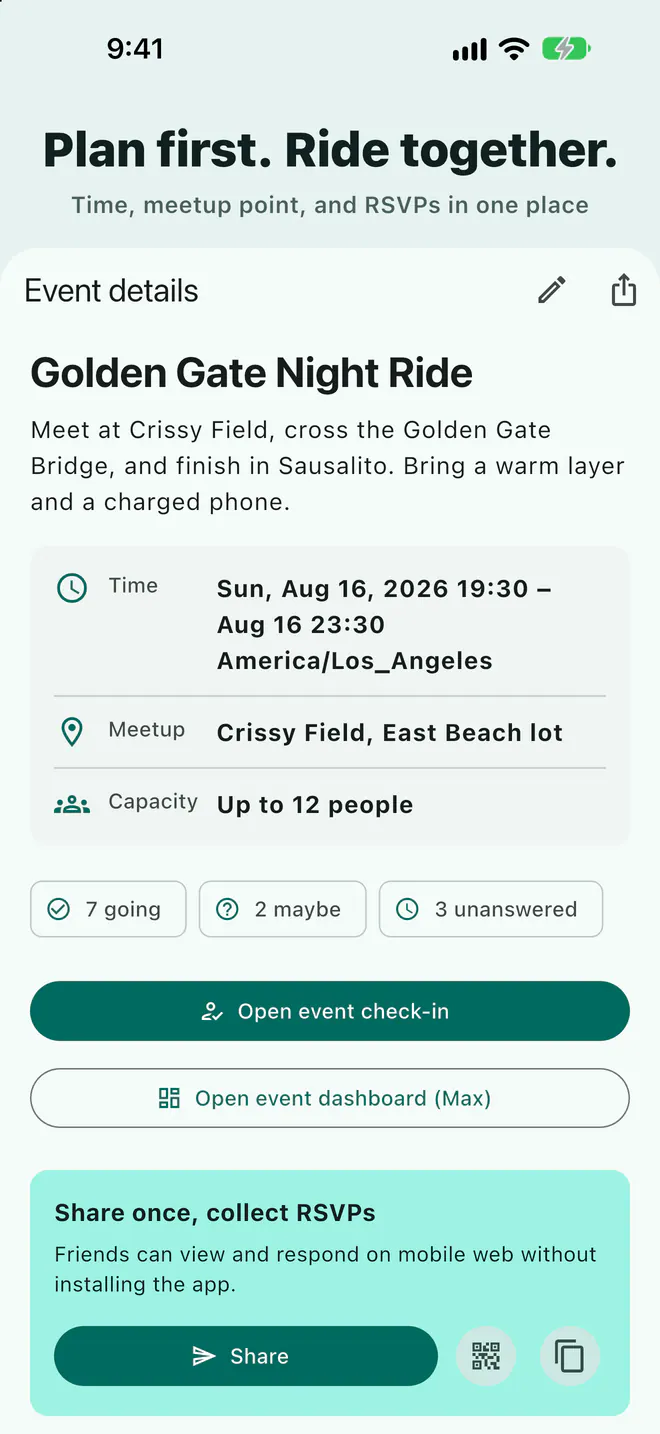
Create a Laiki event with the time, time zone, meeting point, and capacity, then post the link in your group chat. People answer Going, Maybe, or Not going, and guests can RSVP in a browser without the app. That part is free for everyone. QR check-in, the arrival dashboard, and attendance export need the Max plan.
Three problems with RSVPs in a group chat
- The list is scattered: some reply "in", some send an emoji, some text you privately, and you tally it by hand.
- Nobody follows up on "maybe": the night before you still don't know the headcount for the diner or the gas station stop.
- On the day, you can't tell who's missing: start time arrives and you're asking "where are you?" one by one.
Create the event and collect RSVPs (everyone)
- Create an event. Set the start time, time zone, meeting point, and capacity. A clear time zone saves out-of-town riders from showing up an hour off.
- Share the link. Post the event link in your group text, iMessage, or WhatsApp group.
- Collect answers. Everyone picks Going, Maybe, or Not going, and the event page shows the count for each.
- Let people RSVP without the app. When the host allows guests, friends can RSVP in a browser from the shared link.
- Send one reminder. Each event can send a one-time reminder, handy the night before to confirm the time and meeting point.
Check-in on the day (Max plan)
These tools need the host to be on the Max plan:
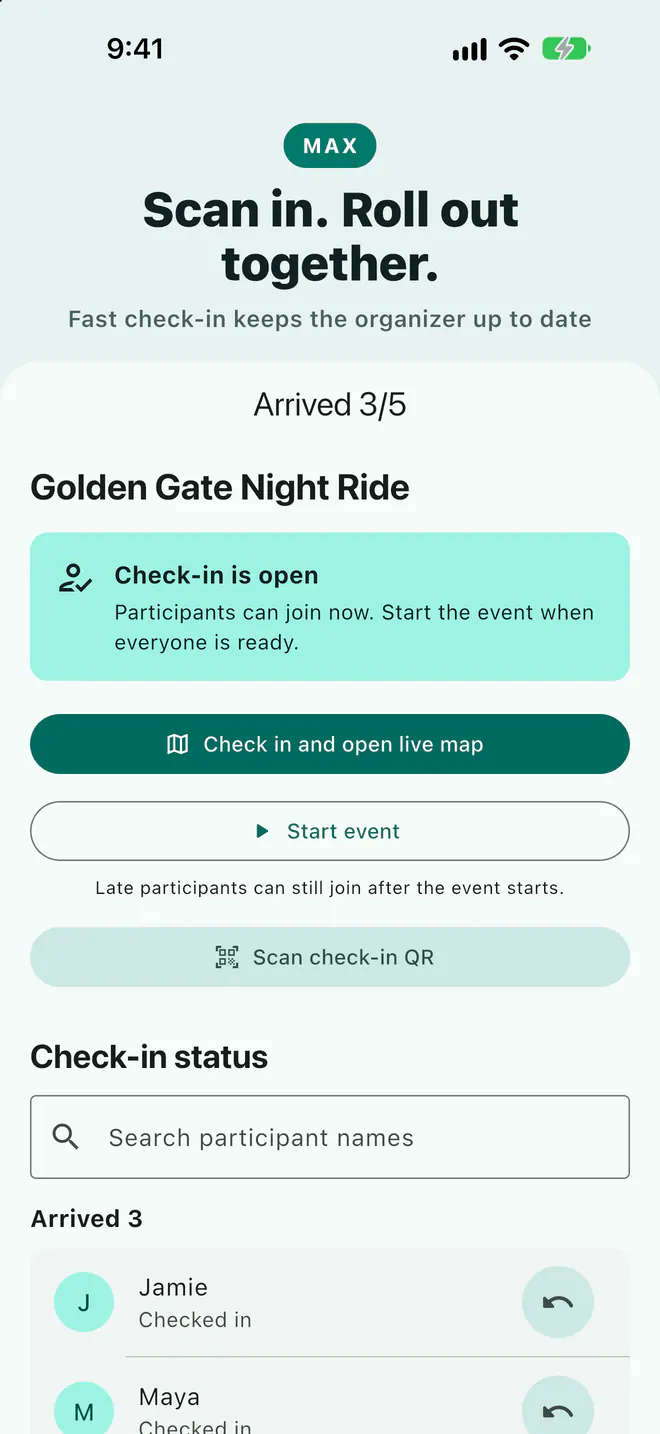
- QR or manual check-in: once the host opens check-in, people scan to check in; the host can check in anyone manually.
- Event dashboard: see who has arrived, who hasn't, and each member's ETA to the meeting point.
- QR poster: make a printable check-in poster to tape up at the meeting point.
- Squads: split a big group into squads; squad members can talk to each other and the host can hear every squad.
- Attendance CSV: export the list after the event. It contains display name, RSVP, check-in time, and live-room join time only, never location.
If the meeting point has poor signal, scanned check-ins are saved on the phone and sync when the connection returns. The live map and ETAs still need a network connection.
The host's day-of checklist
- Arrive early, open check-in, and put the QR poster somewhere visible.
- Watch the dashboard: see how far out the late riders are, then decide whether to wait or regroup at the first rest stop.
- Split into squads and pick a lead and sweep for each, then confirm headcounts before rolling out.
- Export the CSV afterward to keep an attendance record.
Do not use your phone while riding or driving. Check people in and read the dashboard at the meeting point or after stopping somewhere safe.
What's free and what needs Max
| Feature | Who can use it |
|---|---|
| Create an event (time, time zone, meeting point, capacity) | Everyone |
| Share link, Going / Maybe / Not going | Everyone |
| Guest RSVP in a browser | Everyone (when the host allows it) |
| One-time reminder | Everyone |
| QR / manual check-in, dashboard, ETAs | Max |
| Attendance CSV, QR poster, squads | Max |
See the App Store or Google Play purchase screen for current prices.
FAQ
Does everyone need the app to RSVP?
No. When the host allows guests, people can RSVP in a browser from the shared link. Sharing your own location on the live map after check-in requires the app.
Is check-in included in the free plan?
No. Creating events, sharing the link, and RSVPs are available to everyone; QR and manual check-in, the dashboard, CSV export, QR posters, and squads need the host to be on Max.
Does the attendance CSV include locations?
No. It contains display name, RSVP, check-in time, and live-room join time only.
What if there's no signal at the meeting point?
Scanned check-ins are saved on the phone and sync once the connection returns. The live map and ETAs need a network connection.
Related guides
- Group motorcycle rides: how does everyone know where everyone is?
- How do you share your location from an iPhone with an Android user?
- Multi-car road trip: how do you keep the cars together?
- Group bike rides: how do you keep from dropping anyone?
- Group hiking: how do you keep everyone together on the trail?
- How do you share your location temporarily without being tracked forever?
- Offline maps for group trips: what works without signal?
- Walkie-talkie options for group rides, compared
- Life360 alternative: temporary group sharing vs ongoing family location
Next trip, just open a room
The free plan already includes rooms, live location, meeting points, and planned routes.
Get Laiki